Ask Alfa™ — Driving
AI Agent Adoption


Product managers
Developers
ML engineers
Sales team
Developers
ML engineers
Sales team
Stakeholders
Product Designer
Company
Role
Q2 2025
YEAR

Ask Alfa, Boosted.ai’s AI insights assistant, lets users query financial data in natural language to uncover patterns, compare performance, and manage risk.
Boosted.ai is a Toronto and New York based fintech company that provides AI-powered tools to help institutional investors make smarter, data-driven decisions.
Est. 2017

FOR A BETTER EXPERIENCE VIEW THIS CASE STUDY ON A LAPTOP
PROBLEM
After the initial rollout, Ask Alfa engagement metrics were below expectations. Users were hesitant to type prompts, unsure what the AI could do, and rarely returned after the first use.
Hypothesis
If we made prompt creation easier and demonstrated the value of AI through relevant examples and suggestions, users would be more confident and engaged — leading to higher adoption and retention.
Ask Alfa is an AI-driven insights assistant embedded in Boosted.ai’s investment research platform
Product
I owned end-to-end UX delivery, from IA to high-fidelity UI
Information Architecture
Organized Prompt Library by user roles and workflows
[01]
Interaction Design
Defined logic for contextual prompt surfacing
[03]
Visual Design
Unified with Boosted.ai’s design system
[02]
Collaboration
Worked closely with PMs and ML engineers to align AI behavior and template logic
[04]
EXECUTION

04 Deliver
02 Define
03 Develop

01 Discover
A look inside how we shaped Ask Alfa — from uncovering user pain points to designing a confident, AI-driven experience.
[ design process ]
User Interviews: Conducted sessions with portfolio managers and analysts to uncover perceptions, habits, and mental models around AI use
FullStory Analysis: Reviewed session recordings and heatmaps to spot friction points, hesitation moments, and common drop-off paths
Journey Mapping: Visualized a typical first-time interaction to capture the emotional curve from curiosity to confusion to disengagement
“Curiosity → Confusion → Frustration → Drop-off”
“Curiosity → Confusion → Frustration → Drop-off”
Before exploring solutions, I needed to understand why adoption was low despite strong AI capabilities. I combined qualitative and quantitative methods to identify where users struggled
After gathering insights, I brought everything together to find the root problem — users didn’t know how to start
After confirming the hypothesis,
I handed off the final Figma designs to the development team
I handed off the final Figma designs to the development team
AT that point it was a time to design these two features -– prompt library and Prompt improver
Double Diamond
🕵🏼♂️
🦸🏻♂️
Early Abandonment
Over 70% of first-time sessions ended after a single query
Trust Gap
When responses were vague or inconsistent, users lost confidence and didn’t return
Prompt Anxiety
Many didn’t know how to phrase questions or what data the AI could access
Unclear Starting Point
Users landed on a blank screen with no guidance, unsure what Ask Alfa could do
Key Insights
Early Abandonment
Over 70% of first-time sessions ended after a single query
Trust Gap
When responses were vague or inconsistent, users lost confidence and didn’t return
Prompt Anxiety
Many didn’t know how to phrase questions or what data the AI could access
Unclear Starting Point
Users landed on a blank screen with no guidance, unsure what Ask Alfa could do
PRINCIPLES
- Reduce Friction – help users reach value in the first minute
- Show, Don’t Tell – demonstrate capability through examples
- Stay Contextual – guide users directly within their workflow
DESIGN STRATEGY & PHILOSOPHY
KEY FINDINGS
- Users felt uncertain about what Ask Alfa could access or analyze
- The open text field created decision paralysis
27%
dropped off after one session
46%
of users didn’t know how to prompt efficiently
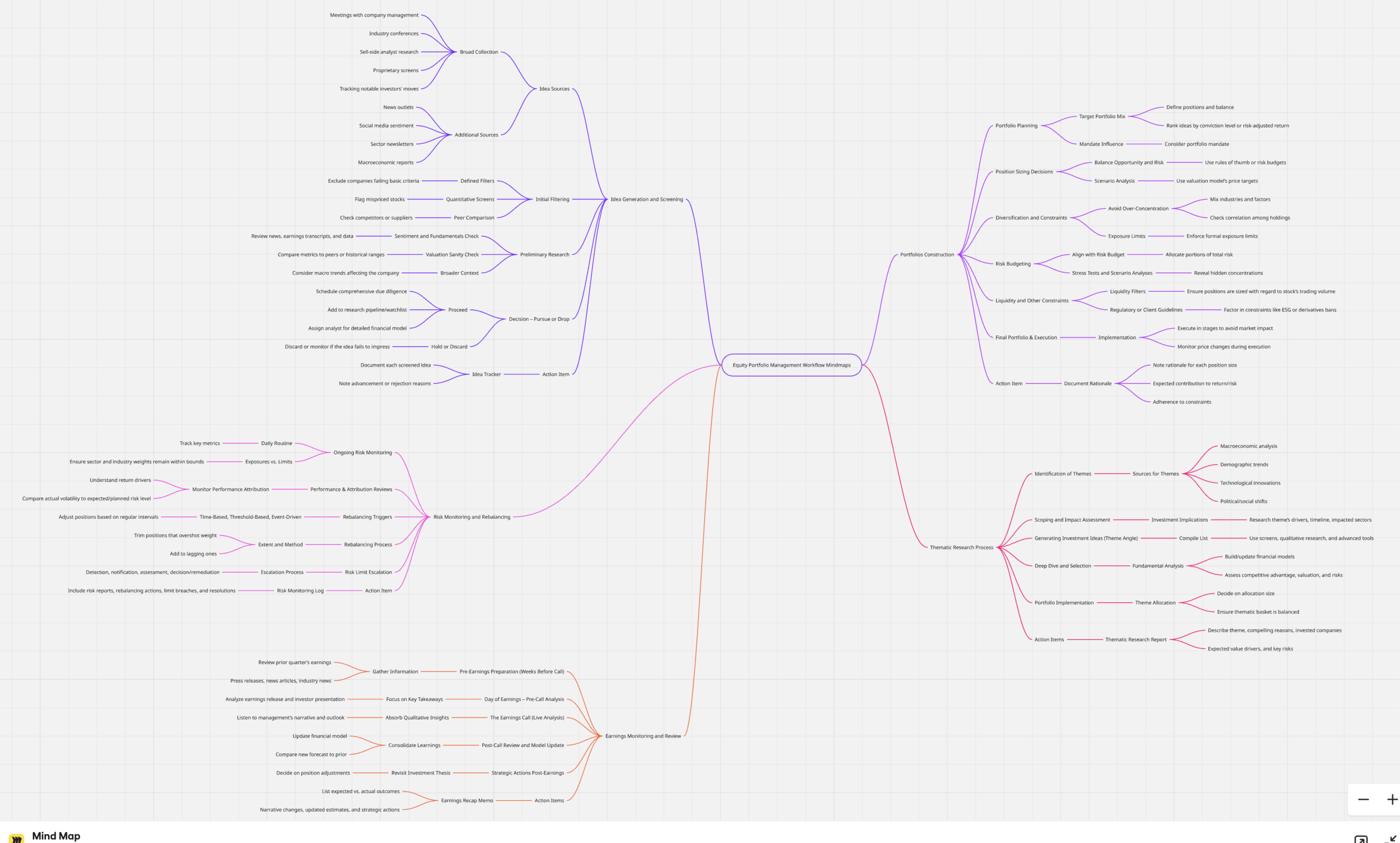
Around the same time, our Customer Success team built a detailed mind map of effective prompts for every major use case — turning cross-functional insights and research into clear, actionable design ideas
After analyzing interviews, FullStory sessions, and user journeys, I organized all insights in Notion
[ Prompt Library ]
[ Prompt Improver ]
[ before ]
[ after ]
Since our CS team had already mapped out hundreds of strong prompts, the challenge was how to display prompts inside Ask Alfa. Users only needed a few relevant examples with an option to explore more
I worked closely with developers to ensure the feature was both technically feasible and aligned with the product’s tone.
Together, we explored different approaches for how Ask Alfa could detect unclear prompts and suggest improvements in real time
Together, we explored different approaches for how Ask Alfa could detect unclear prompts and suggest improvements in real time
I explored several UI options for how users could accept prompt improvements. We chose the version with an explicit CTA button to clearly show what would happen on click
After finalizing the designs, I presented the Prompt Library and Prompt Improver to all stakeholders — including Product, Engineering, and Customer Success. The meeting got everyone
on board and gave the green light to move forward
on board and gave the green light to move forward
Once approved, I handed off the final Figma files and walkthrough prototype to developers, detailing interactions, edge cases, and logic directly in Figma
I designed several variants of prompt snippets.
We chose the last version for its clean design, clear categories, and one-click access to explore further (See more)
We chose the last version for its clean design, clear categories, and one-click access to explore further (See more)
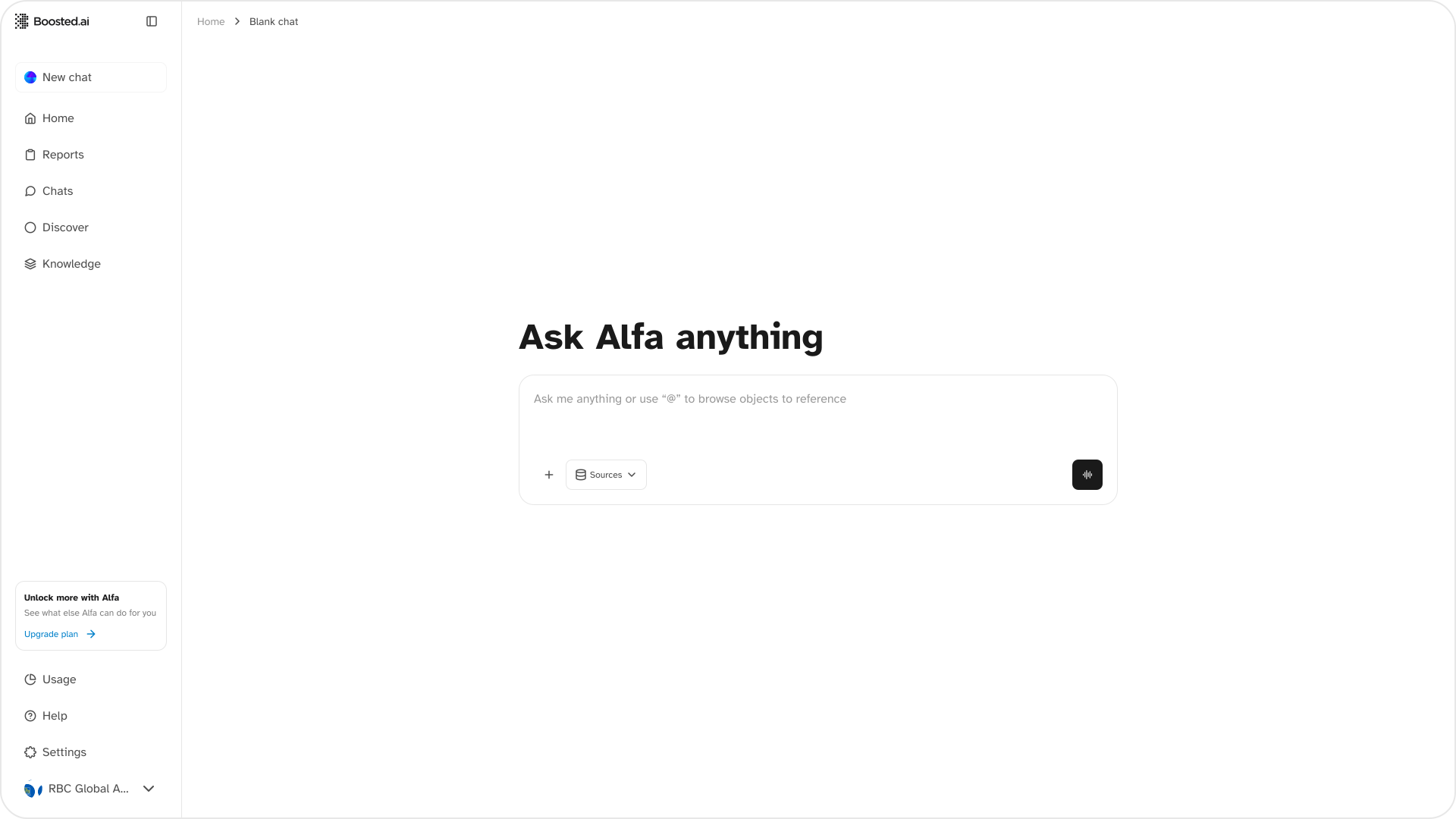



Two solutions emerged from this synthesis — a Prompt Library to guide users with curated examples and a Prompt Improver to refine prompts through instant feedback
RESULTS
Clear improvement in retention and engagement
Internal teams adopted the Prompt Library format for training and demos
+
+34%
retention among Ask Alfa users
+48%
increase in prompt interactions
−27%
drop in first-session drop-off


“It was much easier to come up with the prompt.”
“Now I actually know what it can do.”
Reflections & Next Steps
Lessons learned
- Embedded guidance beats separate tutorial screens
- Showing capability is more persuasive than explaining it
- Progressive hints encourage learning while preserving user control
Next steps
- Introduce analytics-driven, personalized prompt suggestions
- A/B test more aggressive contextual hints
- Expand library templates based on usage patterns
© All Rights Reserved 2025